REVIEW · SANTA FE
2-Hour Photography Class While Touring Downtown Santa Fe, Smart Phones Welcome!
Book on Viator →Operated by David Hoptman · Bookable on Viator
Santa Fe teaches you to see like a photographer. In this 2-hour class with David Hoptman, I like that you get a photo-first way to understand adobe architecture and desert light, not just generic camera tips. Composition is the theme from the first minute, and the walk stays focused on making better pictures right away.
Two things I’d also highlight: you’ll get hands-on help for smart phones and digital cameras, and you’ll learn a simple editing path in Snapseed instead of leaving you with a pile of nearly-great shots. One possible drawback is that this is a class with a short downtown walk, not a long, site-by-site sightseeing tour.
If you’re expecting a massive checklist of downtown stops, trim that mindset. You’re here to learn how to see, with photo coaching at the key outdoor moments, then editing practice later. The best fit is people who want to improve fast and leave with a handful of stronger keepers.
In This Review
- Key Things I’d Put on Your Radar
- Downtown Santa Fe Through a Photographer’s Walk
- Why Smart Phones Are Actually a Good Fit Here
- Plaza-Side Composition: Framing Adobe and Desert Light
- Portraiture and Low-Light Techniques You Can Use Immediately
- The Snapseed Portion at La Fonda’s Lounge
- What the Class Feels Like in Real Life
- Price and Value: Is $85 Worth It?
- Practical Timing, Weather, and What to Bring
- Who Should Book This Photo Class (and Who Might Skip It)
- Should You Book This Santa Fe Photo Class?
- FAQ
- What’s the duration of the Santa Fe photography class?
- How much does it cost?
- What should I bring if I have both a smartphone and a digital camera?
- Is Snapseed editing included?
- Is this more of a photo tour or a photography lesson?
- Where does the class start?
- Does it include a private group?
- What if the weather is bad?
- Can I cancel for a full refund?
Key Things I’d Put on Your Radar
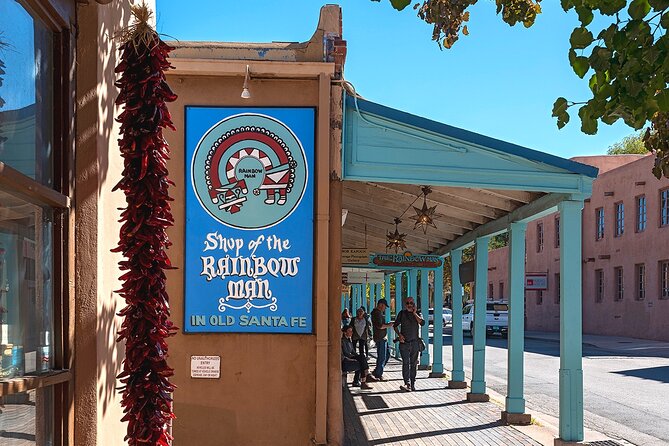
- David Hoptman runs the show and teaches with a calm, patient approach for all skill levels
- Phone and camera support means you’re not stuck if your DSLR stays in the bag
- Composition + positioning practice helps you frame adobe, streets, and people more intentionally
- Snapseed editing is part of the workshop, so you finish with a workflow, not just shots
- You start downtown outdoors and shift indoors for the editing portion at La Fonda’s Lounge
Downtown Santa Fe Through a Photographer’s Walk
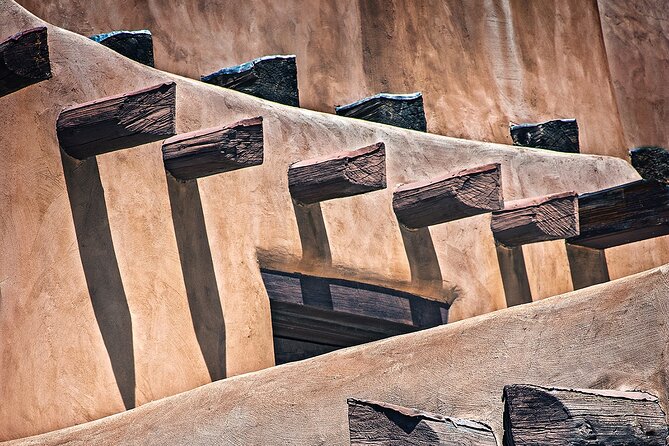
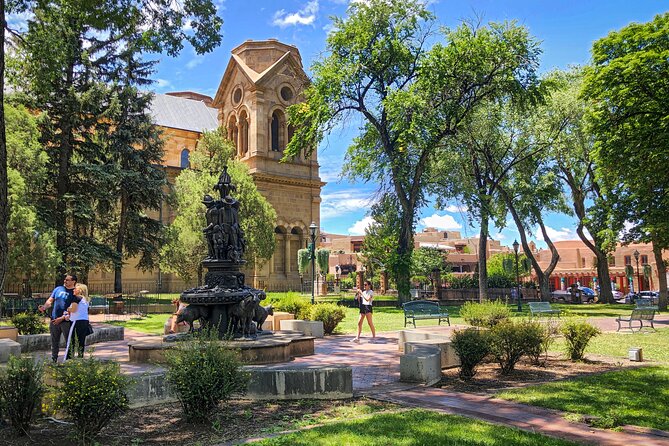
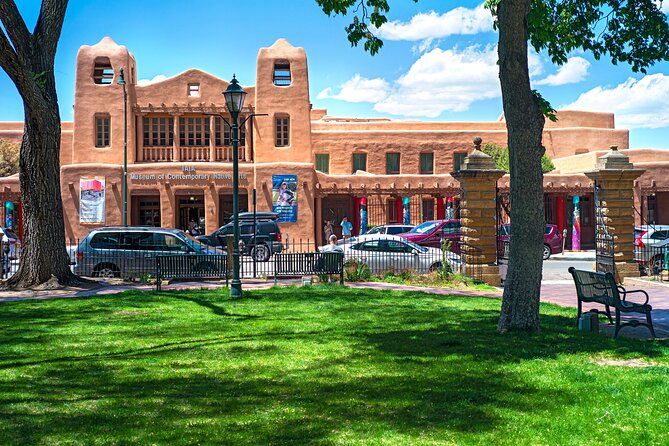
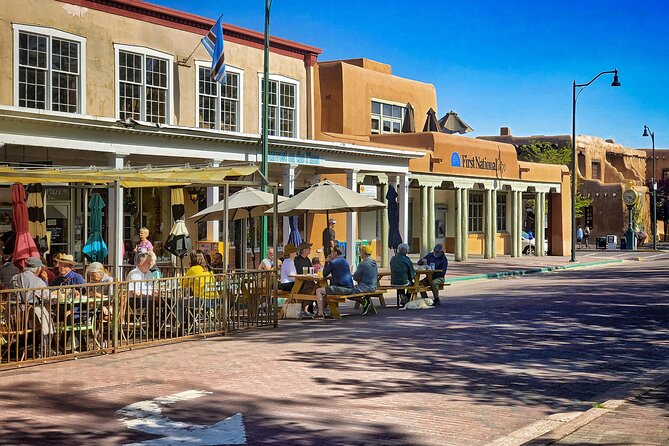
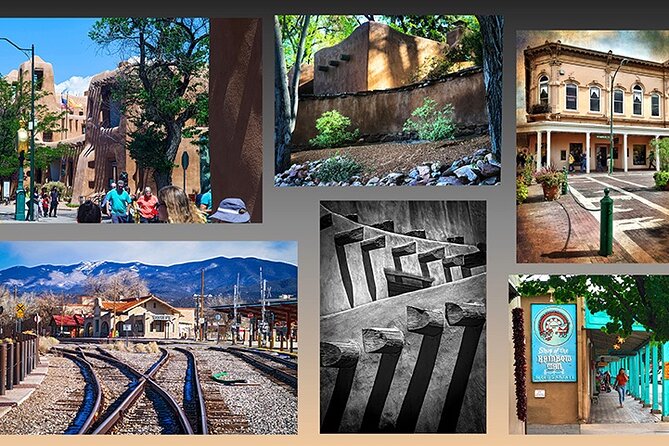
Santa Fe is basically a training ground for anyone who likes pictures. The mix of adobe textures, earthy colors, and bright New Mexico light gives you subjects everywhere—doorways, walls, shadow lines, and the way streets curve around the Plaza area. This class uses that natural setting like a living classroom.
You’ll meet near East San Francisco Street and Lincoln Avenue (Santa Fe). From there, the goal stays clear: you’ll walk through the most photogenic downtown spots around the Plaza area while learning what to look for before you even raise your camera. In other words, you’re not just chasing pretty scenes—you’re learning how to build a frame that feels right.
I especially like how the instruction turns Santa Fe into a set of repeatable lessons. You learn to think about where you stand, what the light is doing, and how to simplify a busy street into something your photo can actually handle.
Why Smart Phones Are Actually a Good Fit Here
This workshop is built for real-world photography, which means your iPhone (or Android) counts as serious gear. You bring your digital camera, your smartphone, or both, and David will work with what you have. In a class like this, that matters because you don’t want a lesson that only makes sense with a specific lens or camera mode.
In plain terms, you’ll learn how to:
- pick better angles and distances
- use the phone’s features intentionally
- apply composition rules without turning it into a technical headache
A common win is that you start taking photos more slowly, with a little less multitasking. That sounds basic, but it changes everything. When you pause long enough to compose, you stop getting the accidental snapshots that look blurry, cluttered, or flat.
Also, be ready for the class to include portrait and low-light topics, so your phone education won’t only be about bright daytime street scenes.
Plaza-Side Composition: Framing Adobe and Desert Light
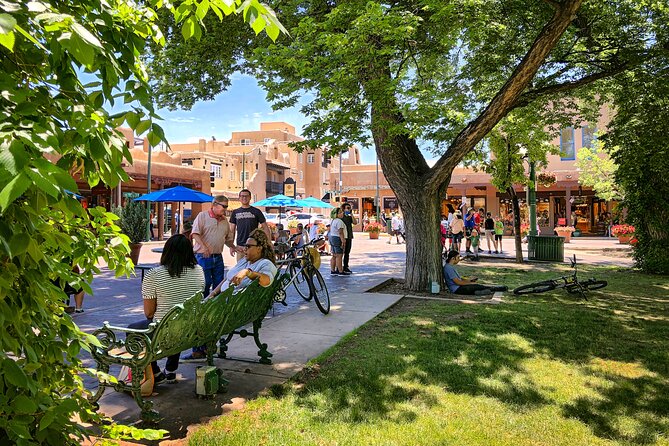
Santa Fe’s architecture can be complicated on purpose: overlapping shapes, uneven surfaces, and tiny details that reward closer looking. The class teaches you how to translate all that into photos that feel clean and intentional.
Here’s what you practice as you move around downtown:
- Positioning: where to stand so lines lead your eye instead of fighting for attention
- Framing: using doors, corners, archways, and walls to build structure
- Light timing: learning to spot shadows and highlights so adobe looks warm instead of muddy
Even if you love wandering, this makes you more strategic. You’ll learn to notice where the light hits first and where it creates the most dramatic contrast. In a desert city, that contrast is a gift—once you know how to aim for it.
And yes, you’ll also get some downtime to take practice shots. The class isn’t only talk. You’ll get quick guidance, then try it on the spot.
Portraiture and Low-Light Techniques You Can Use Immediately
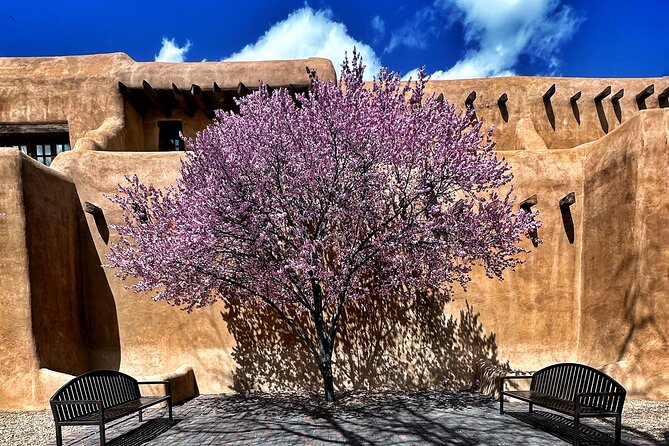
Architecture grabs attention, but portraits make the photos feel personal. The class includes portraiture, and it also covers low-light photography. That combination is great because many people visit Santa Fe for daytime scenes and then wonder why their evening photos look disappointing.
What you take away is a mindset, not just a trick:
- you learn how to set up and frame people in outdoor settings
- you learn how to think about light when it’s dimmer
- you learn lens choice concepts if you’re using a camera
Even if you’re phone-only, the portrait and low-light focus helps you avoid the usual mistakes: random cropping, confusing backgrounds, and photos that are technically bright but emotionally flat.
One useful side effect: when you practice portrait composition in a place like Santa Fe, you start seeing the city as a backdrop you can control, not just a view you have to accept.
The Snapseed Portion at La Fonda’s Lounge
Editing is where many vacation photos go to die. You take a picture, it looks okay, and then you stop. This class includes a photo-editing introduction using Snapseed, and it’s designed to be easy to learn.
You’ll do the editing portion indoors, and the session has been described as taking place at La Fonda’s Lounge. The practical value here is huge: you leave knowing what to adjust and why, instead of guessing at sliders.
Snapseed helps you:
- refine brightness and contrast
- clean up color so adobe tones look natural
- improve the look of framed photos so they feel complete
If you’ve ever taken a great photo on the street and then watched it turn dull after you apply random filters, you’ll appreciate the more careful approach here. Editing becomes a finishing step, not a rescue mission.
What the Class Feels Like in Real Life
A good teaching pace is half the experience. This workshop is about building confidence fast, and the tone tends to be patient and supportive. That matters if you’re rusty or if your camera setup is basic.
The flow typically goes like this:
- Start downtown outdoors with a quick composition setup
- Walk, practice, and get guidance as you photograph real Santa Fe scenes
- Transition to indoor editing practice with Snapseed
There’s also a cultural thread as you go. You’ll get insider info about Santa Fe history and culture along the way, tied to what you’re photographing. That helps you notice details you’d otherwise skip.
Small group format is also a plus. This is a private tour/activity, so it’s just your group. In practice, that usually means you get more individual attention and fewer long waits to ask questions.
Price and Value: Is $85 Worth It?
At $85 for about 2 hours, this is priced like a focused learning session, not a full-day tour. Taxes are extra ($7.00 per traveler), so plan on $92 total before any other personal spending.
Is it good value? Usually, yes—if your main goal is improving your photos quickly.
Here’s the “value math” that matters:
- You’re paying for an expert who teaches composition, lighting, portraiture, low-light thinking, and editing in a short window
- You’re learning how to apply it immediately in the streets around the Plaza area
- You’re not paying to simply be shown locations—you’re paying to leave better at photographing them
If what you really want is a long downtown sightseeing route with lots of time at each stop, you might feel shortchanged. One of the most common complaints is that people expected more of a tour feel and got more of a lesson feel. This class is very much in the learning camp.
Practical Timing, Weather, and What to Bring
This runs about 2 hours and starts at 11:30 am. You’ll want to arrive a few minutes early so you can start with the composition briefing without stress.
Weather matters. The experience requires good weather, since it’s partly outdoors. If the weather isn’t right, you’ll be offered a different date or a full refund.
What to bring:
- Your smartphone (even if you also bring a camera)
- Your digital camera, if you use one
- Power for your device (your phone especially)
- A charged camera battery and storage if you shoot a lot
And if you feel unsure about your tech, don’t hide it. The whole point is that you’ll learn how to use what you already have.
Who Should Book This Photo Class (and Who Might Skip It)
I think this is a great match if you:
- want a quick, structured way to improve phone or camera photography
- love architecture and want adobe streets to look intentional in your photos
- want to learn Snapseed editing without getting lost
- prefer a focused morning activity you can build on afterward
It may not be the best match if you:
- want a full sightseeing day with lots of separate stops and time for long museum visits
- only care about taking photos with zero instruction
- expect an all-day pace rather than a condensed 2-hour learning sprint
Also, one notable negative signal exists: there’s at least one account of a guide not showing up. That’s rare, but it’s worth respecting. If you book, I’d still do the boring best practice: confirm the day-of details and be at the meeting point a bit early.
Should You Book This Santa Fe Photo Class?
If your plan includes taking pictures you actually want to keep, I’d book it. The combination of downtown practice, real composition guidance, and Snapseed editing is a practical mix that makes the time feel like it pays off.
This is also a smart first activity in Santa Fe because it changes how you see the rest of your trip. After you learn how to frame adobe textures, manage light, and simplify scenes, your future photos tend to improve even when you’re just walking on your own.
If you want to be safest with your expectations, treat it like a workshop with a short downtown walk—not a long tour. Go in ready to learn and practice, and you’ll likely leave with better images and a calmer approach to shooting.
FAQ
What’s the duration of the Santa Fe photography class?
The class runs for about 2 hours.
How much does it cost?
The price is $85. Taxes are not included and are listed as $7.00 per traveler.
What should I bring if I have both a smartphone and a digital camera?
Bring whichever you want to use—smart phone, digital camera, or both. The workshop welcomes both.
Is Snapseed editing included?
Yes. Part of the workshop includes an introduction to editing using Snapseed.
Is this more of a photo tour or a photography lesson?
It’s primarily a photography class with step-by-step instruction while touring the downtown Plaza area.
Where does the class start?
The meeting point is at East San Francisco Street & Lincoln Avenue (E San Francisco St & Lincoln Ave, Santa Fe, NM 87501, USA).
Does it include a private group?
Yes. It’s listed as a private tour/activity, and only your group participates.
What if the weather is bad?
The experience requires good weather. If it’s canceled due to poor weather, you’ll be offered a different date or a full refund.
Can I cancel for a full refund?
Yes. Free cancellation is available up to 24 hours in advance for a full refund.